
Pickup Reminders
For Collect Retail pharmacies
Help reduce the number of unclaimed prescriptions with automatic pickup reminders.
Pickup Reminders automatically notify eligible patients when their paid prescription has been waiting at the pharmacy for 5 days, helping them remember to pick up their medication without additional follow-up from your team.
Pickup Reminders are optional so your pharmacy can choose whether to use them and configure when reminders are sent.
Turn On Pickup Reminders
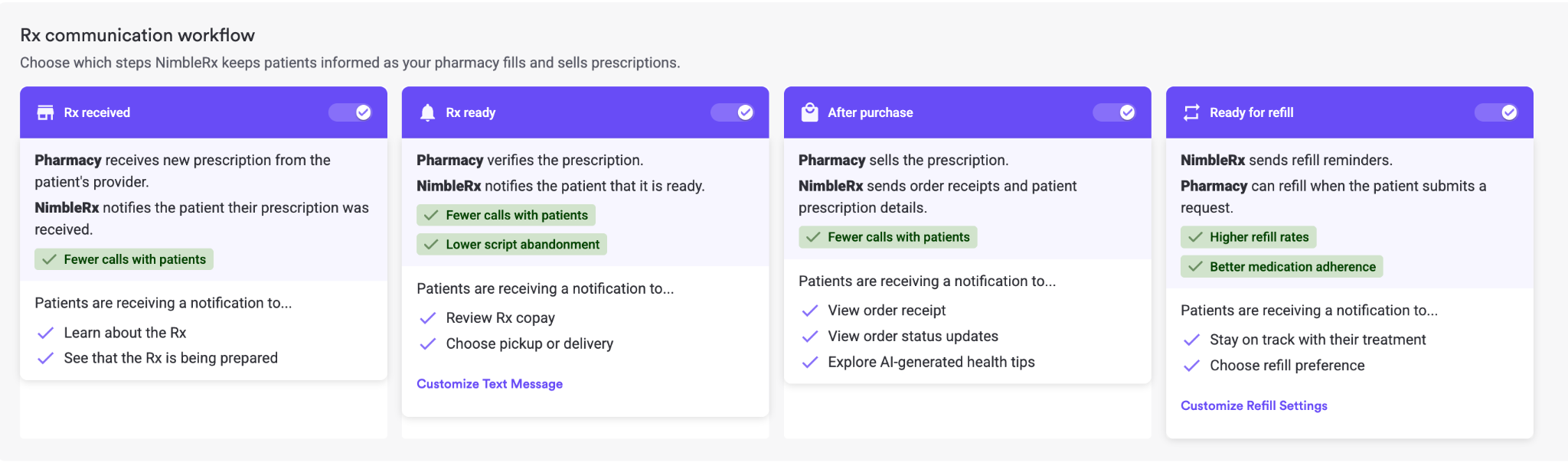
Pharmacy Owners can navigate to the Communication Center and toggle on After Purchase to start sending Pickup Reminders.
Note: After Purchase also sends an Order Confirmation text message once a patient has paid with their receipt.
How Pickup Reminders Work
Once Pickup Reminders are enabled:
- An eligible prescription is ready for pickup.
- Nimble schedules a pickup reminder. The default is 5 days later, but your pharmacy can configure when the reminder is sent.
- Before sending the reminder, Nimble checks whether the Pickup Task has already been completed.
- If the Pickup Task is complete, the reminder is canceled.
- If the Pickup Task is still open, Nimble sends the patient a pickup reminder during your pharmacy's store hours.
- Once the patient picks up their prescription, complete the Pickup Task as usual.
You can also see the pickup reminder in the patient's communication history in the Comms Center.
Keep Pickup Tasks Up to Date
Pickup Reminders rely on your pharmacy's Pickup Tasks to determine whether a prescription is still waiting for the patient.
When a patient picks up their prescription, make sure the Pickup Task is completed.
If the task is completed before the scheduled reminder, Nimble will cancel the reminder automatically.
If the task remains open, Nimble may assume the prescription is still waiting for pickup and send the scheduled reminder.
What Does the Patient Receive?
If an eligible prescription is still waiting for pickup when the reminder is scheduled, the patient receives an SMS reminding them to pick up their order.
No additional outreach is required from your pharmacy.
Frequently Asked Questions
Do I have to use Pickup Reminders?
No. Pickup Reminders are optional and are turned off by default.
When is the reminder sent?
The default is 5 days after an eligible prescription is ready for pickup. Your pharmacy can configure when the reminder is sent.
Will a patient still get a reminder if they've already picked up their prescription?
Not if the Pickup Task has been completed. Nimble checks the task before the reminder is sent and cancels the reminder when the task is already complete.
What happens if we forget to complete the Pickup Task?
Nimble may still send the scheduled reminder because the prescription will appear to still be waiting for pickup. Keeping Pickup Tasks up to date helps ensure reminders are only sent when they're needed.
When are reminder messages sent?
Pickup reminders are sent during your pharmacy's store hours.
Where can I see that a reminder was sent?
Pickup reminder messages appear in the patient's communication history in the Comms Center.